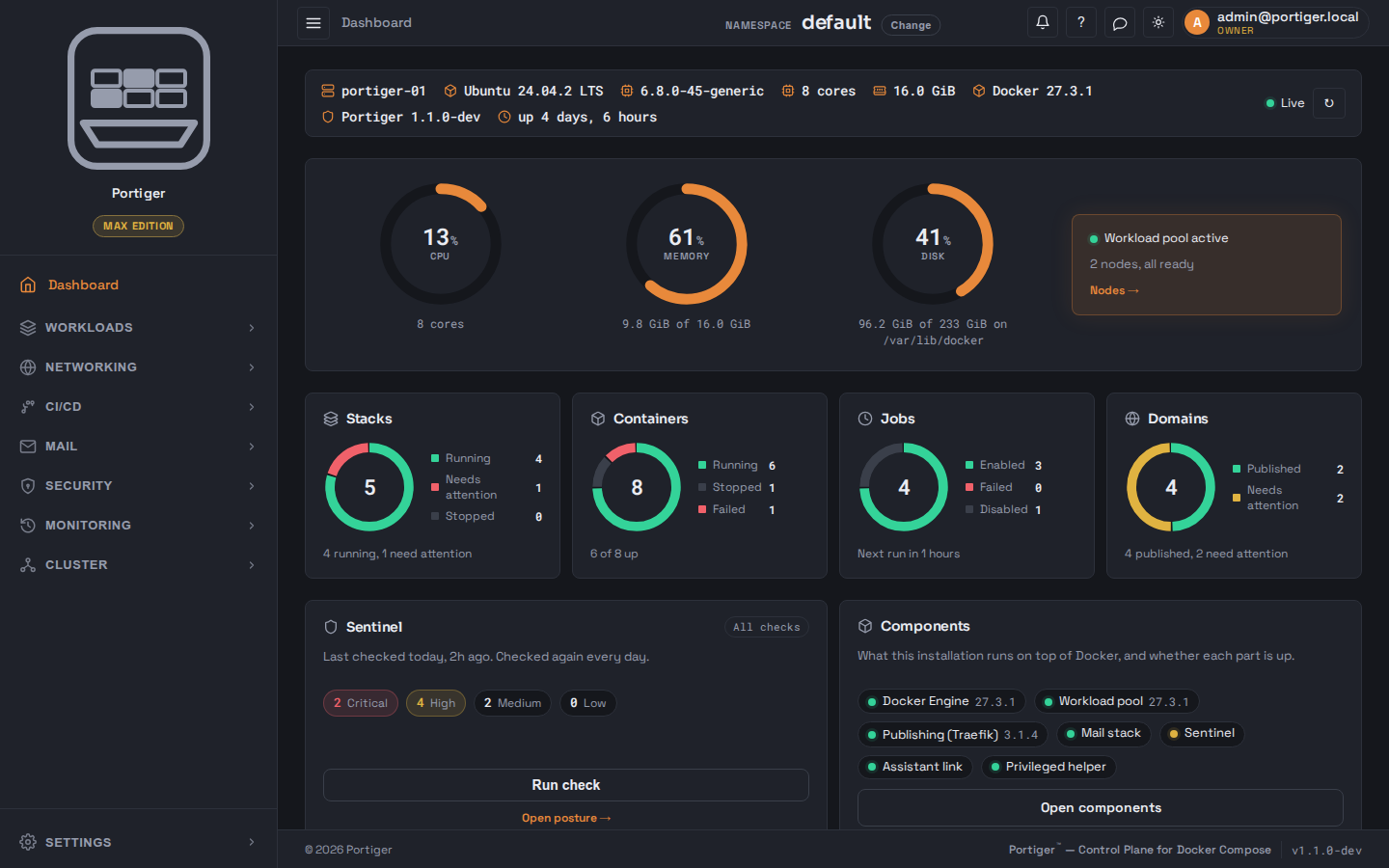
One binary on one machine. Add nodes over SSH, point it at Git, and
every stack becomes a service with rolling updates, readiness checks
and one-click rollback.
A server that has run for two years already has a proxy in front of it
and, often, a pool someone enabled once. Portiger detects both and
takes them over instead of asking you to tear them down.
Portiger is in early access. The plans and the prices are settled; the
product is not finished, so none of it is on sale. Leave an address and
we will write once, when it is ready to install.
One email, about this product. No newsletter, and the address is not
passed to anyone.
How it works
Three steps, and the third node costs nothing extra in effort.
Portiger is one binary and one database. A node you add over SSH runs the
same binary and joins the same pool.
01
Install
One command. curl | sh fetches the binary and
portiger install <licence key> installs
Docker, starts the workload pool and opens the panel. The first screen
is a setup wizard.
$curl -fsSL get.portiger.com | sh -s -- <licence key>
portiger install <licence key>
02
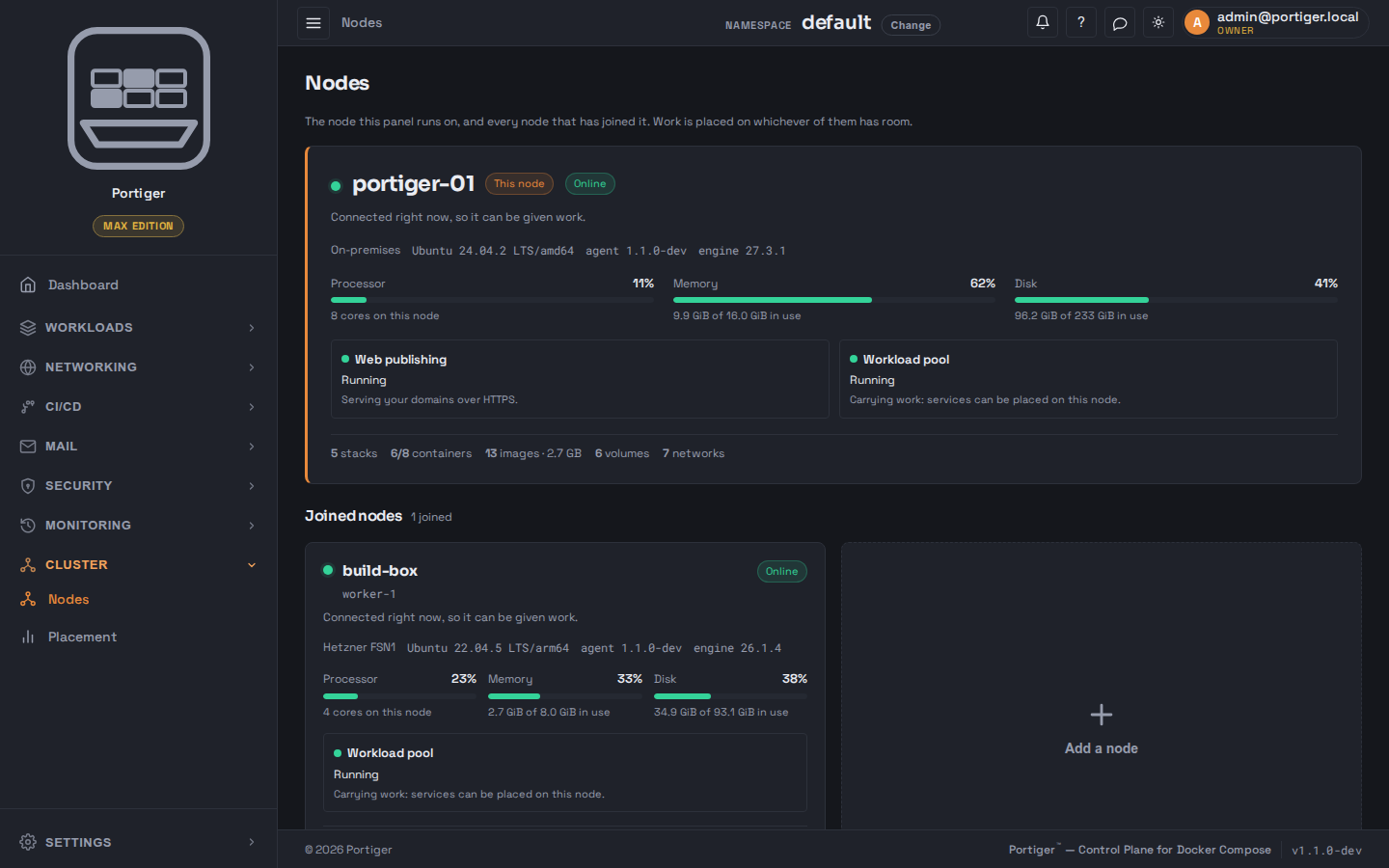
Add nodes over SSH
Give the panel SSH access to a machine once. It installs Portiger there
and joins it to the pool. Nodes talk to each other on three ports inside
your network; the only thing that leaves your network is the licence
check.
panel.example.com
03
Point it at a repository
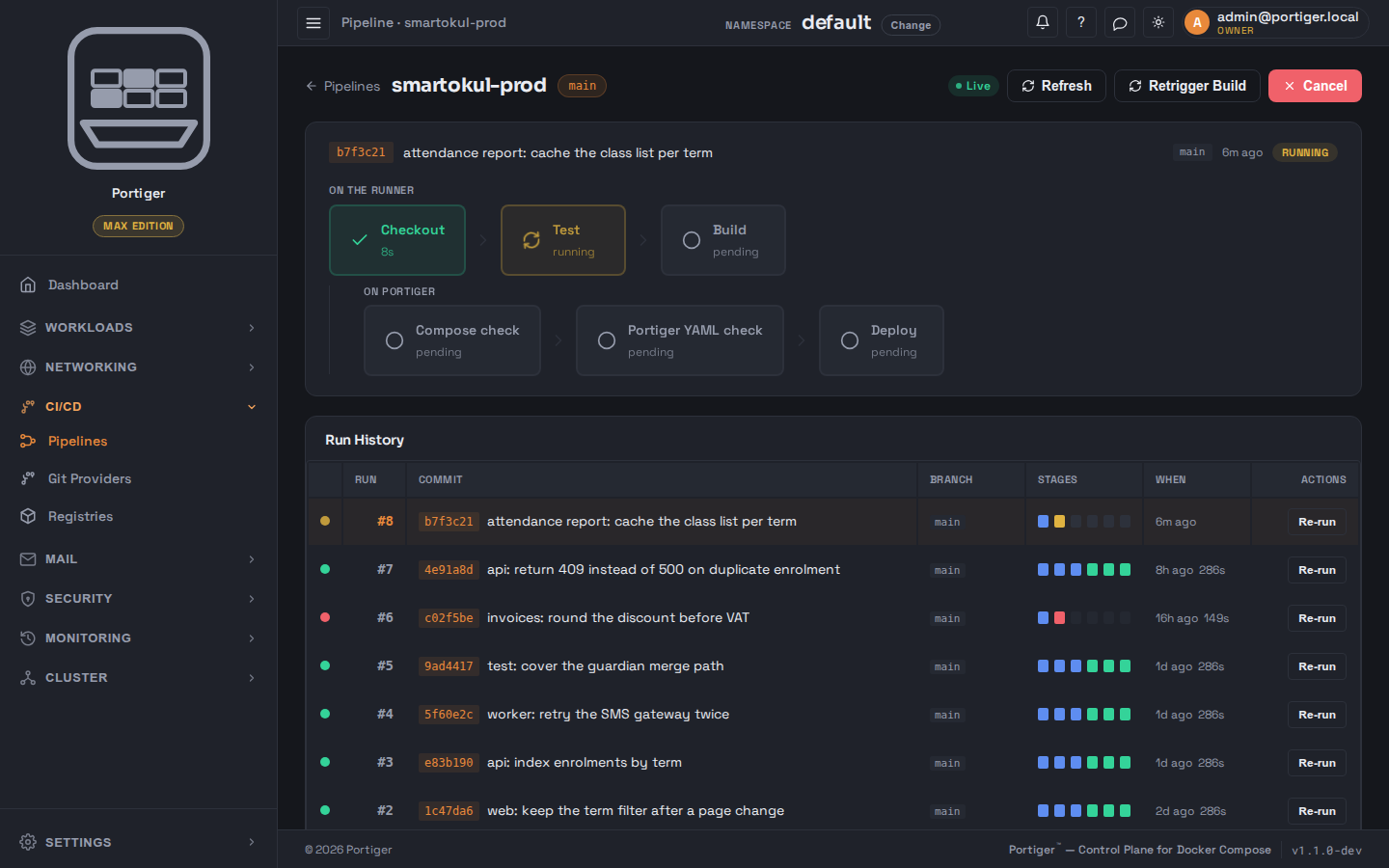
Connect GitHub, GitLab, Gitea or Bitbucket. Your provider's runner
checks out, tests and builds the image; Portiger checks the compose file
and portiger.yaml, then deploys, keeping the
previous version ready for a one-click rollback.
panel.example.com
Workloads
A stack is a service. It does not need restarting.
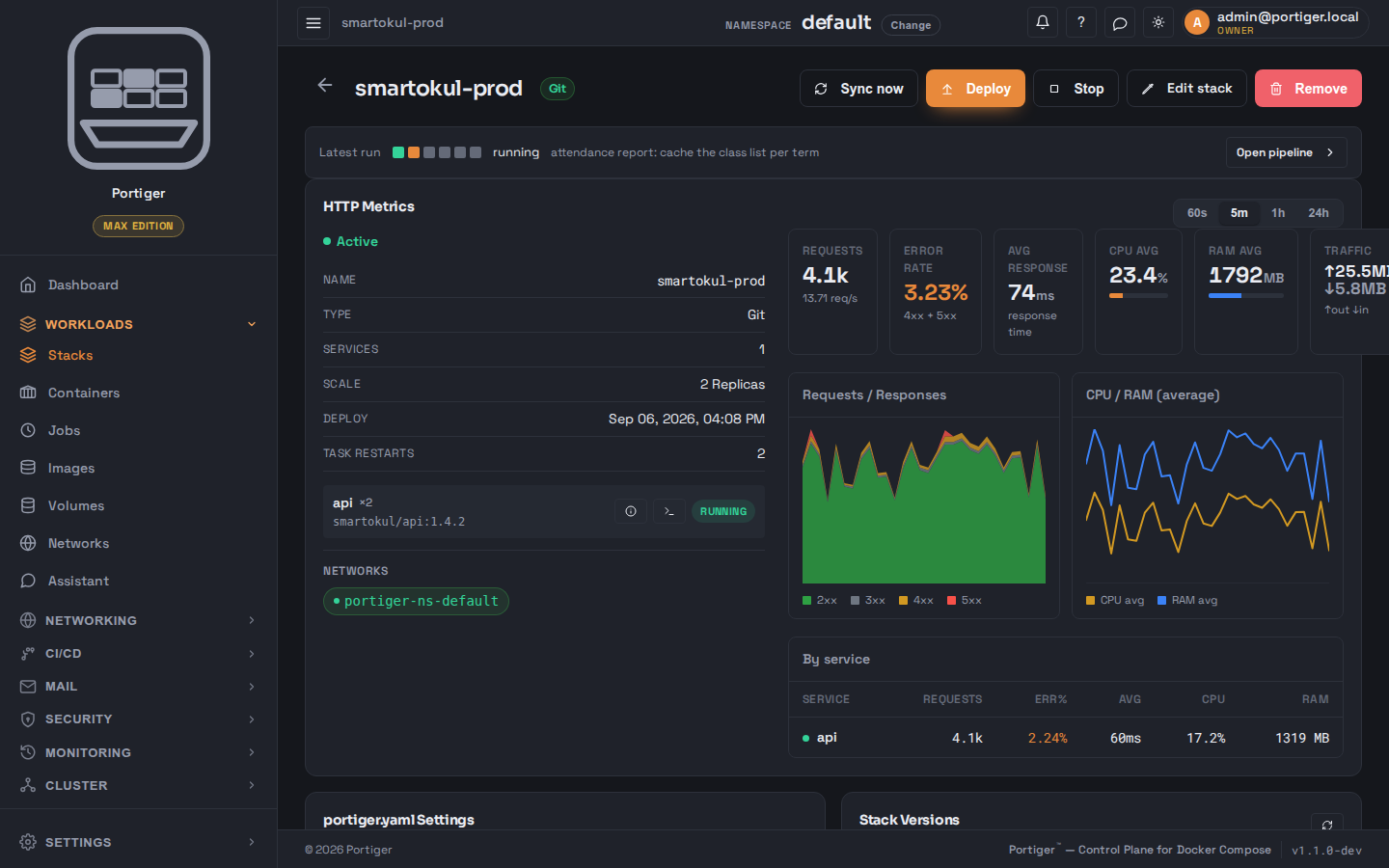
Every stack you create runs as a service in the workload pool: replicas come
back on their own, updates roll one replica at a time, and two probes tell
the difference between alive and ready.
Health
Is the app still alive? If not, replace the replica.
Readiness
Is it ready for visitors? Until it passes, no traffic and the stack shows Progressing.
Rollback
The last versions stay warm; going back is one click.
panel.example.com
Features
The unglamorous half of running servers, done once.
Every plan is self-hosted and all of this runs on your own machines. Which
parts are switched on depends on the plan, and the
pricing page spells out exactly which.
Stacks as services
Every stack runs in the workload pool: replicas come back on their own and updates roll one at a time.
It does not ask you to start from an empty machine.
Most tools of this kind assume a fresh server. Real servers are not
fresh: there is a proxy in front, certificates that already work, and
sometimes a workload pool someone turned on two years ago. Portiger
detects each of those and takes them over.
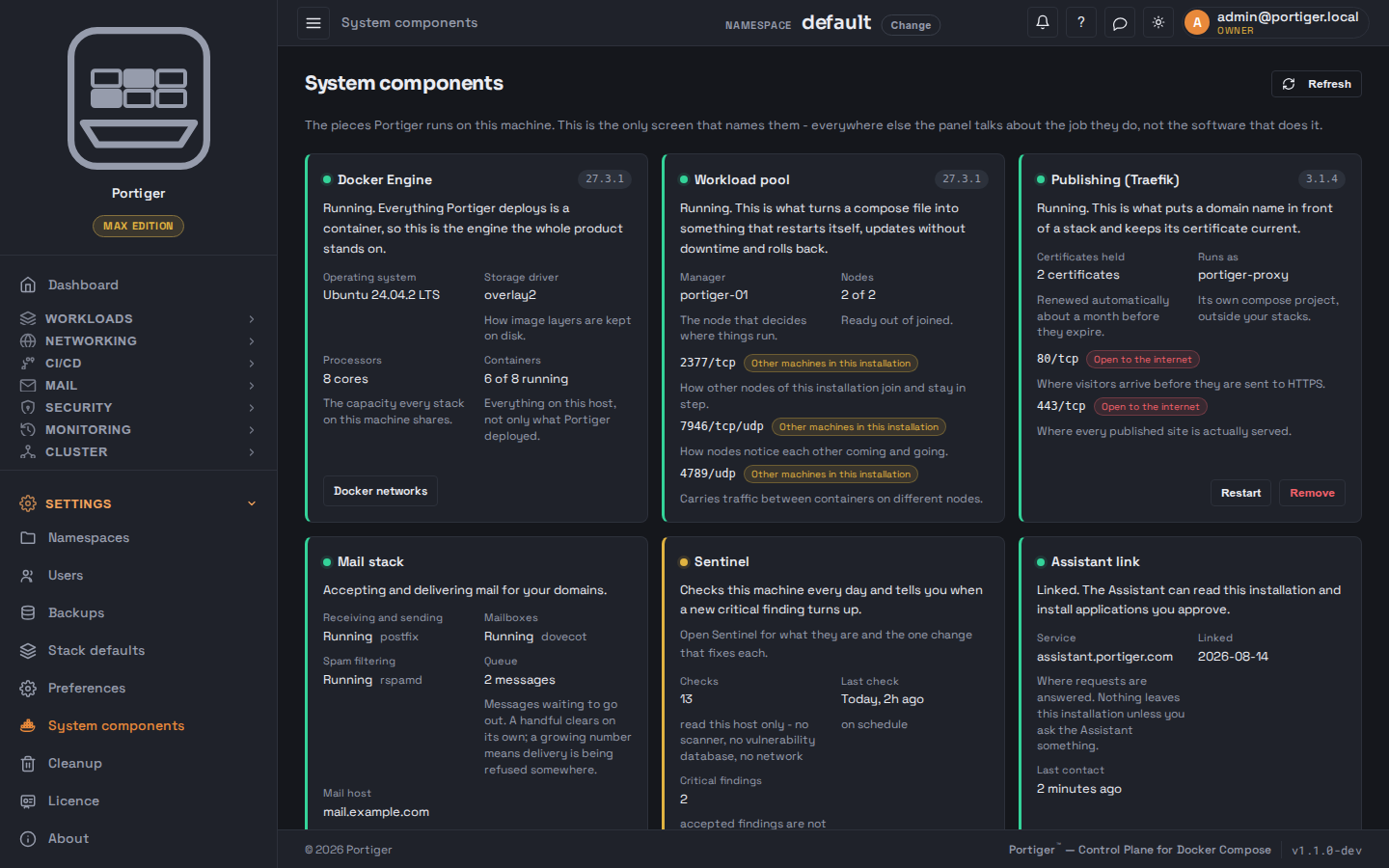
Finds an existing Traefik, adopts it, and imports the routers and certificates it is already serving
Installs one itself if there is none
Detects a workload pool and adopts one that is already active
Hands any of it back: adoption is reversible, and uninstalling leaves what it found
Shape
The interface is inside the binary, not a second thing to deploy.
One process, and the same binary on every node. The web interface is
compiled into it, so there is no separate frontend to serve, no Node
runtime on the box and no version skew between panel and API. State lives
in a single SQLite database, and portiger update
replaces the binary with a snapshot taken first.
One .deb, installed by one command
Panel, pool and mail server in one process
State in one SQLite file, backed up with everything else
Upgrading is one command
Security
It checks the machine, too.
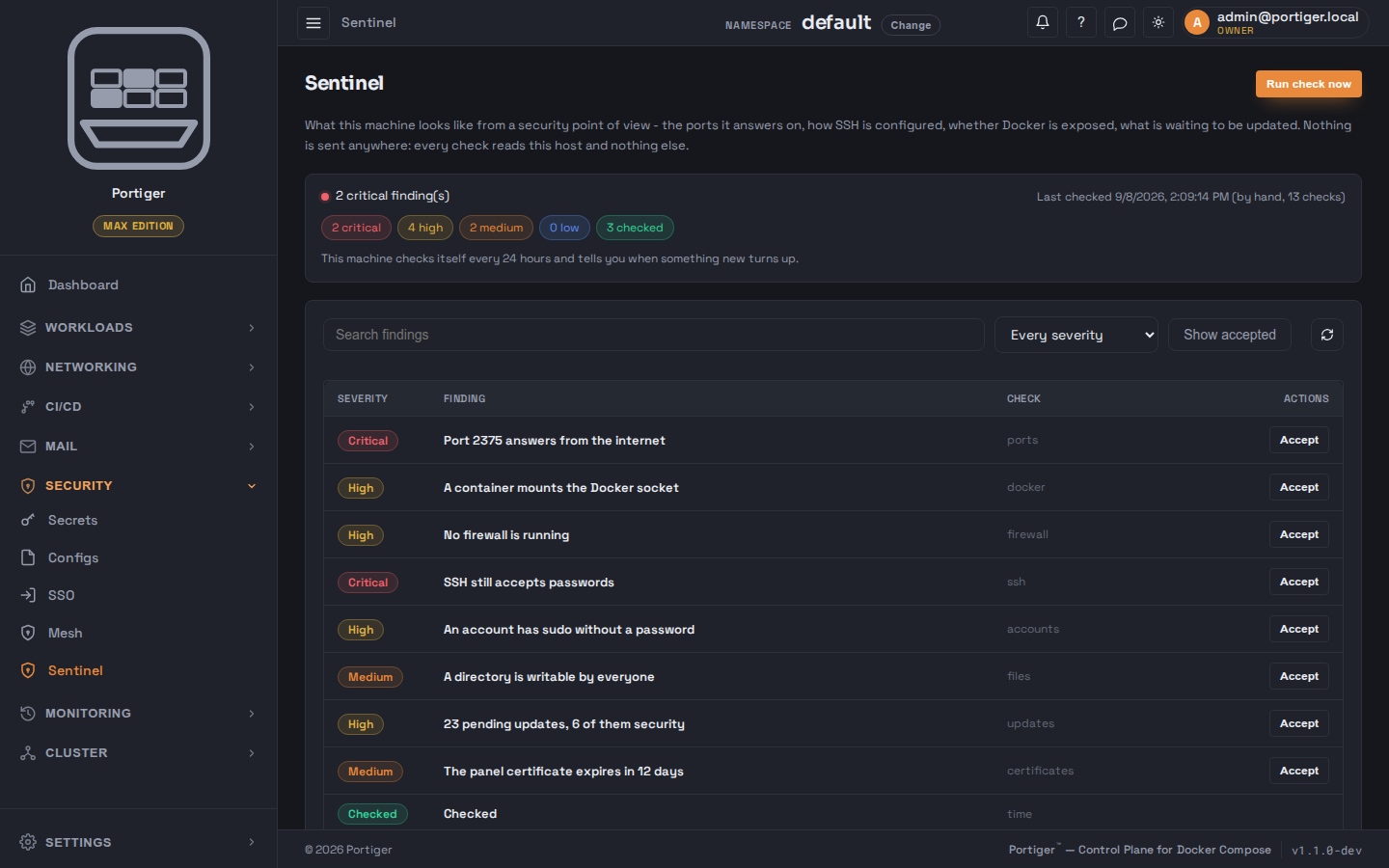
Sentinel reads the host it runs on: SSH settings, Docker exposure, listening
ports, pending updates and more, thirteen checks in all. It uses no scanner
and no vulnerability database; it looks at what is actually configured and
tells you the one change that fixes each finding. Personal runs four basic
checks; Team and Max run all of them on a schedule and notify you.
panel.example.com
Not yet
What it cannot do today, said here rather than found later.
Portiger is in early access and the gaps below are real. They are listed
because finding them after paying is worse than reading them now.
One control plane. There is no high-availability panel; if the main node is down, the panel is down while the stacks keep running.
Three nodes at most. The pool stops at three, even on Max.
Debian and Ubuntu only. The installer ships a .deb; there is no rpm and no Windows.
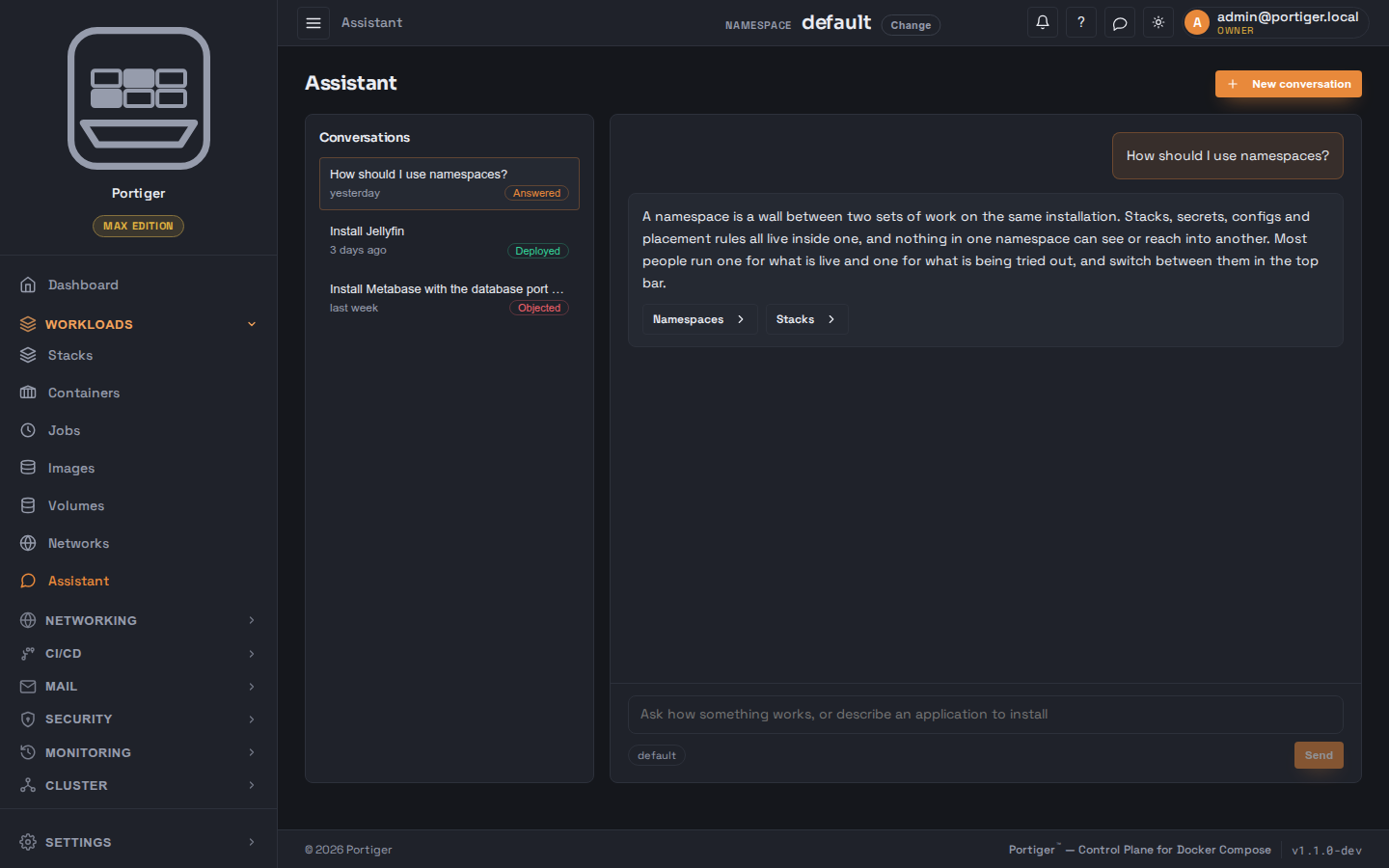
The Assistant needs Portiger's own service. It is linked with a token and does not run offline.
An external project is watched, not managed, until you bring it into the pool.
Contact
Questions before you install? Ask.
One address per kind of question, answered by the people who build it.
The free edition is not a trial, and does not expire.
Community runs one node for one operator and keeps working forever. What
the paid editions add is the mail server, scaling, and — at the top — three
nodes behaving as one.
Community
Free
One node, one operator. Unlimited stacks and domains; no scheduled jobs.
Personal
$20/month
Adds the mail server on your own domain, scheduled jobs, and right-sizing that tunes CPU and memory while things run.
Team
$49/month
Five people. Replicas, build pipelines, roles, single sign-on, audit trail and private registries.
Max
$149/month
Twenty-five people. Three nodes as one pool, an mTLS mesh, scheduled backups and the Assistant.